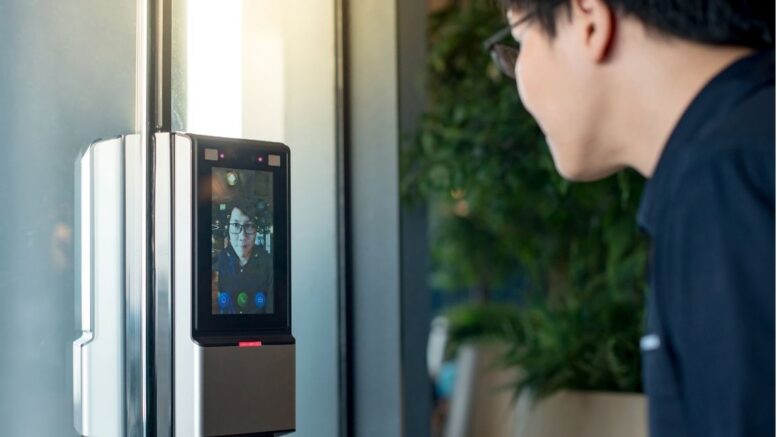
Construction sites are among the most demanding environments for workforce technology. Dust, heat, rain, vibration, direct sunlight, and constantly changing worker populations can put standard attendance equipment under significant strain.
For contractors managing large teams and multiple subcontractors, a rugged biometric system provides a more reliable way to record worker attendance and control site access in challenging conditions. Designed for demanding environments, rugged biometric terminals can help maintain accurate workforce records even when conventional office-grade devices struggle.
This guide explains how to plan, install, configure, and maintain a rugged biometric attendance system for a harsh construction site.
Why Standard Biometric Devices Can Struggle on Construction Sites
Standard biometric terminals are often designed primarily for controlled indoor environments. Construction sites present very different operating conditions.
Dust and debris can affect sensors and hardware. Direct sunlight can make displays difficult to read and may affect some facial recognition cameras. Rain and humidity introduce moisture exposure, while heat, vibration, and unstable power can create additional challenges.
A rugged biometric system is designed with these conditions in mind. Depending on the hardware, features may include sealed housing, outdoor-rated construction, wider operating temperature ranges, weather-resistant components, and biometric sensors designed for demanding working conditions.
Choosing hardware based on the actual environment is therefore an important first step in preventing attendance system failures.
The Cost of Attendance System Failures
When a biometric terminal stops working during an active construction project, contractors may have to return temporarily to manual attendance processes.
This can recreate many of the problems that digital attendance systems are intended to solve, including:
- Manual data entry
- Inaccurate clock-in and clock-out records
- Buddy punching
- Payroll disputes
- Missing attendance information
- Difficulty confirming the number of workers on-site
- Additional administrative work for supervisors
For construction companies, reliable attendance information can also support workforce monitoring and emergency headcounts.
The goal of a rugged deployment is therefore not simply to install a biometric device outdoors. It is to create an attendance system that remains dependable throughout the project’s operating conditions.
Key Features to Look for in Rugged Biometric Hardware
When selecting biometric hardware for a construction site, contractors should evaluate the equipment against the actual environmental conditions at the site.
IP65/IP67 Protection
An appropriate IP-rated enclosure can help protect the terminal against dust and water ingress.
The exact rating required depends on where the device will be installed and the level of exposure it will experience.
Wide Operating Temperature Range
Construction sites can expose equipment to high temperatures and direct sunlight. Hardware designed for outdoor operation can provide greater reliability than equipment intended only for air-conditioned environments.
Anti-Glare Display
If workers need to interact with the terminal outdoors, an anti-glare display can make the interface easier to read in bright daylight.
Reliable Fingerprint Sensors
Workers may arrive with wet, sweaty, dusty, or dirty hands. A suitable fingerprint sensor should be selected based on the actual conditions expected at the site.
Facial Recognition
Facial recognition can provide an alternative to fingerprint verification, particularly where workers frequently wear gloves or have conditions that make fingerprint scanning less convenient.
Backup Power
Power interruptions can stop attendance recording if there is no backup arrangement. Battery backup or an appropriate uninterruptible power solution can help maintain operations during temporary power disruptions.
Connectivity Options
Construction sites may have changing network infrastructure. Contractors should confirm whether the system can communicate reliably through the available wired or wireless network and how attendance data is handled if connectivity is temporarily unavailable.
Step-by-Step Guide to Deploying a Rugged Biometric System
A successful installation begins before the hardware arrives on-site.
1. Survey the Construction Site
Start by identifying where attendance and access verification are required.
Consider:
- Main worker entrances
- Subcontractor entrances
- Site offices
- Restricted areas
- Worker accommodation areas
- Available power points
- Network availability
- Weather exposure
- Expected worker traffic
The survey helps determine how many biometric terminals are required and where they should be installed.
2. Select Appropriate Mounting Locations
Where possible, position biometric terminals under a suitable shelter while keeping them accessible to workers.
Avoid locations where the equipment is exposed unnecessarily to:
- Heavy rain
- Direct water runoff
- Excessive dust
- Construction debris
- Vehicle impact
- Constant direct sunlight
A suitable mounting position can extend hardware lifespan and improve recognition reliability.
3. Provide Stable Power
Attendance terminals should have a reliable power source.
For remote entrances or areas where power interruptions are possible, contractors can consider battery backup or an appropriate backup power arrangement.
Power and network connections should also be protected appropriately for the site environment.
4. Configure the Attendance System
The system should be configured according to the project’s workforce structure.
This may include:
- Company or contractor details
- Worker profiles
- Employee IDs
- Work locations
- Shift schedules
- Attendance rules
- Access permissions
- Reporting requirements
A properly configured system reduces the amount of manual adjustment required later.
5. Register the Workforce
Construction projects often involve workers from multiple subcontractors.
Workers should be enrolled before they begin using the attendance system. Where possible, administrators should be able to perform enrolment efficiently in batches to avoid creating long queues during site onboarding.
Worker records should also be updated promptly when employees join, leave, or transfer between projects.
6. Test the System Under Real Conditions
Do not rely only on an indoor demonstration.
Test the biometric terminal at the actual installation location and during realistic site conditions.
Check performance during:
- Bright sunlight
- High temperatures
- Busy arrival periods
- Dusty conditions
- Wet conditions
- Network interruptions
- Power interruptions
Testing before full deployment helps identify problems while they are still easy to resolve.
7. Configure Attendance Reporting
Once the hardware is operating reliably, configure the reporting system.
Supervisors and HR teams may need access to information such as:
- Daily attendance
- Clock-in and clock-out times
- Late arrivals
- Absences
- Worker headcounts
- Overtime information
- Contractor or subcontractor attendance
Where supported, attendance data can also be integrated with payroll or workforce management software.
Managing High Worker Turnover
High worker turnover is one of the biggest practical challenges on construction sites.
Subcontractor teams can change throughout a project’s lifecycle, with new workers joining and existing workers leaving or transferring to another project.
A suitable biometric attendance system should therefore make worker administration straightforward.
Important capabilities include:
Fast Worker Enrolment
New workers should be able to be registered without complicated procedures.
Easy Profile Management
Administrators should be able to update worker information when employment or project assignments change.
Worker Deactivation
When a worker leaves the project, their access and attendance profile should be deactivated promptly.
Multiple Contractor Support
Where multiple subcontractors operate on the same site, the system should provide a clear way to organise workers by company or group.
This helps contractors maintain cleaner attendance records and simplifies reporting.
Rugged vs Standard Biometric Devices
| Factor | Standard Biometric Device | Rugged Biometric Device |
|---|---|---|
| Typical environment | Indoor or controlled areas | Outdoor and demanding environments |
| Dust protection | Limited depending on model | Designed for greater environmental protection |
| Water resistance | Model dependent | Available with outdoor-rated protection |
| Temperature tolerance | Often more limited | Designed for wider operating conditions |
| Bright sunlight | May affect usability | Outdoor configurations may include anti-glare features |
| Dirty or wet hands | May reduce fingerprint reliability | Certain models are designed for challenging conditions |
| Construction use | Not always suitable | Designed for demanding site environments |
| Long-term outdoor deployment | Requires careful protection | Better suited when correctly specified |
The exact specifications vary between hardware models, so contractors should always confirm the manufacturer’s environmental ratings before installation.
Best Practices for Long-Term Reliability
Installing rugged hardware does not eliminate the need for maintenance.
Construction sites remain harsh environments, and regular maintenance helps keep equipment operating reliably.
Clean Biometric Sensors Regularly
Dust, dirt, and other debris should be removed according to the manufacturer’s cleaning recommendations.
Inspect the Mounting Area
Check that mounting brackets, protective covers, cables, and connections remain secure.
Protect Against Water Exposure
Even weather-resistant hardware should not be positioned unnecessarily in areas exposed to constant water runoff.
Monitor System Performance
Review attendance records regularly and investigate unusual gaps or repeated failed scans.
Maintain a Backup Device or Process
For critical entry points, having replacement hardware or a documented fallback attendance procedure can reduce disruption if equipment requires servicing.
Keep Worker Records Updated
Attendance accuracy depends not only on the biometric hardware but also on maintaining accurate worker profiles.
Connecting Biometric Attendance With Workforce Management
A rugged biometric terminal becomes more valuable when attendance information can flow into a central workforce management system.
Instead of manually collecting attendance records from individual devices, management can use a central dashboard to review workforce information.
Depending on the system and integration available, this can support:
- Payroll processing
- Overtime calculations
- Attendance monitoring
- Workforce reporting
- Contractor management
- Site headcounts
- Compliance documentation
For contractors operating several projects, centralised reporting can also reduce the administrative effort involved in managing attendance across different locations.
Planning for Network and Power Interruptions
Construction sites can experience temporary network or power disruptions, particularly during early project stages when infrastructure is still being established.
Before deployment, contractors should ask how the biometric system handles temporary connectivity loss.
A suitable system may be able to retain attendance records locally and synchronise them once the connection is restored, depending on the product configuration.
The same principle applies to power. Critical attendance points should have a suitable backup power strategy where uninterrupted operation is important.
Planning these scenarios before installation prevents the team from having to improvise when an outage occurs.
Security and Worker Data Protection
Biometric attendance systems process sensitive employee information, so contractors should also consider how worker data is protected.
Before selecting a system, organisations should understand:
- Where biometric information is stored
- How biometric templates are protected
- Who can access worker records
- How long information is retained
- How workers are removed from the system
- What happens to data when a project ends
- How information is transferred between systems
These considerations should form part of the overall system evaluation rather than being addressed only after installation.
Smart Touch Technology’s Biometric Attendance System
Smart Touch Technology provides biometric attendance solutions for businesses and construction environments in Singapore.
The Biometric Attendance System (BAS) can help contractors digitise worker attendance and replace manual sign-in processes with biometric verification and centralised attendance records.
The solution can be configured around the requirements of the construction site, including workforce enrolment, attendance tracking, reporting, and integration with broader workforce management processes where applicable.
For contractors managing multiple workers and subcontractors, a properly configured biometric attendance system can provide a clearer and more reliable record of workforce movements than manual attendance sheets.
Frequently Asked Questions
1. What makes a biometric system suitable for a construction site?
A construction-ready biometric system should be selected based on the site’s environmental conditions. Outdoor-rated protection, appropriate temperature tolerance, suitable biometric sensors, reliable connectivity, and backup power are important considerations.
2. Can biometric systems work in dusty construction environments?
Suitable rugged equipment is designed for more demanding conditions than standard indoor terminals. However, installation location and regular cleaning remain important for maintaining reliable performance.
3. What if workers have dirty or sweaty hands?
Fingerprint performance can vary depending on the condition of the worker’s finger and the sensor technology. Where fingerprint scanning may be difficult, facial recognition can provide an alternative verification method.
4. Can the system work during a network interruption?
This depends on the specific system. Some systems can store attendance transactions locally and synchronise them after connectivity is restored. Contractors should confirm the offline functionality before deployment.
5. How can the system handle a large rotating workforce?
A suitable system should support efficient worker enrolment and profile management, allowing administrators to add new workers and deactivate departing workers without disrupting daily attendance operations.
6. Can biometric attendance integrate with payroll?
Yes, depending on the software and payroll platform, attendance information can be exported or integrated into payroll and workforce management workflows.
7. Does rugged hardware eliminate maintenance?
No. Rugged hardware is designed to withstand harsher conditions, but regular cleaning, inspection, software maintenance, and monitoring are still important for reliable long-term operation.
Key Takeaways
A successful construction-site biometric deployment depends on more than choosing a fingerprint or facial recognition terminal.
The most important considerations are:
- Select hardware according to actual site conditions.
- Use suitable outdoor-rated protection where required.
- Position terminals strategically and protect them from unnecessary exposure.
- Plan reliable power and network connectivity.
- Make worker enrolment simple for high-turnover teams.
- Test the system under real construction conditions.
- Connect attendance data with workforce and payroll processes where appropriate.
- Maintain the hardware and worker database throughout the project.
Conclusion
Construction sites demand attendance technology that can perform in conditions far more challenging than a typical office environment. Dust, heat, rain, sunlight, changing workforces, and temporary infrastructure can all affect the reliability of standard equipment.
A rugged biometric system provides a stronger foundation for reliable workforce attendance and access management when the hardware is correctly selected, installed, tested, and maintained.
For contractors in Singapore, the right deployment can reduce dependence on manual attendance records, improve workforce visibility, support payroll accuracy, and provide a more dependable record of who is present on-site.
Smart Touch Technology can help businesses assess their construction-site attendance requirements and implement a biometric attendance solution suited to their workforce and operating environment.
Learn more about this product:
https://smartouch.com.sg/bas/
Smart Touch Technology Pte Ltd
Singapore
www.smartouch.com.sg
+65-63964767
sales@smartouch.com.sg
Malaysia
www.smartouch.com.my
+607-3889903
sales@smartouch.com.my