Mobile Clock In App Singapore Installation Guide for Distribution Warehouses
Introduction
Distribution warehouses in Singapore operate in a fast-paced, dynamic environment where accurate time tracking and workforce management are critical to operational success. With teams spread across multiple shifts, zones, and loading areas, maintaining precise attendance records while ensuring compliance with employment regulations can be challenging without the right systems in place.
A mobile clock in app tailored for warehouse operations offers a practical solution to these challenges. It enables employees to record their work hours efficiently, managers to monitor attendance in real time, and organisations to maintain compliance with Singapore’s employment and payroll requirements. For distribution warehouses—where accuracy, speed, and accountability directly impact productivity and customer delivery timelines—implementing a dedicated mobile clock in app is a strategic investment.
This guide explores how to install and effectively implement a mobile clock in app in your Singapore distribution warehouse, with a focus on practical installation steps and best practices tailored to warehouse environments.
Why Mobile Clock In Apps Matter for Distribution Warehouses
The Challenge of Traditional Time Tracking in Warehouses
Distribution warehouses typically face unique attendance tracking challenges. Manual timesheets are prone to errors and require significant administrative effort. Centralised clock-in points may become bottlenecks during shift changes, and paper-based records are difficult to audit and verify for compliance purposes.
Additionally, warehouse staff often work in multiple locations within the facility—receiving areas, storage zones, packing stations, and dispatch sections. A mobile solution allows employees to clock in from wherever they are when their shift begins, reducing congestion and improving operational flow.
Benefits for Warehouse Operations
Implementing a mobile clock in app provides several advantages for distribution warehouses:
- Real-time attendance visibility: Managers can monitor who is on-site and their status immediately, enabling better workforce allocation and response to unexpected absences.
- Reduced administrative burden: Automatic time recording eliminates manual data entry and reduces payroll processing time.
- Improved accuracy: Digital records reduce disputes over hours worked and ensure precise payroll calculations.
- Enhanced compliance: Centralised digital records make it easier to demonstrate compliance with Singapore employment regulations during audits.
- Better employee accountability: Transparent time tracking encourages punctuality and discourages time theft.
- Scalability: Mobile solutions easily accommodate seasonal fluctuations and temporary workforce expansions common in warehousing.
Pre-Installation Considerations for Warehouse Environments
Infrastructure Requirements
Before installing a mobile clock in app, ensure your warehouse has adequate infrastructure to support the system:
- Wi-Fi or mobile network coverage: The app requires reliable internet connectivity throughout your warehouse. Assess coverage in all work areas, including loading bays and storage zones.
- Device availability: Determine whether employees will use personal devices or company-provided smartphones. If using personal devices, establish a clear policy regarding app installation and data security.
- Charging facilities: If providing devices, ensure adequate charging stations are available during breaks and shift changes.
- IT support capability: Designate staff members to provide technical support and troubleshoot issues.
Regulatory Compliance in Singapore
Singapore’s Employment Act sets out requirements for maintaining employment records and managing wages. While the legislation does not prescribe specific time tracking methods, digital records must be accurate, accessible, and retained for the required period. A mobile clock in app should generate records that meet these standards.
We recommend consulting your HR team or a local employment advisor to ensure your chosen system complies with current Singapore employment regulations. For the most up-to-date information, check the Ministry of Manpower (MOM) website and the Employment Act guidelines.
Installation Guide: Step-by-Step Process
Step 1: Plan and Prepare Your Deployment
Start with a clear implementation plan. Identify the departments or shifts that will use the app first—many warehouses pilot the system with a single shift or department before rolling out organisation-wide. This allows your team to identify potential issues and refine processes before full deployment.
Document your current time tracking processes, identify pain points, and set clear objectives for what you want the app to achieve. This information will guide configuration and help measure success.
Step 2: Select and Install the App
Choose a mobile clock in app that is purpose-built for warehouse environments and compatible with your existing systems. The app should support multiple clocking locations, be easy for warehouse staff to use, and provide managers with real-time visibility.
Installation typically involves:
- Downloading the app from your app provider’s platform or app store
- Creating user accounts for all employees who will use the system
- Configuring basic settings such as warehouse locations, shift times, and approval workflows
- Setting up integration with your payroll and HR management systems if required
Step 3: Configure for Warehouse Operations
Customise the app to reflect your warehouse’s structure and operations:
- Define clock-in locations: Set up multiple clock-in points or zones within your warehouse so employees can log in from their work area.
- Set shift parameters: Configure shift start times, end times, break schedules, and any shift-specific rules.
- Establish approval workflows: Determine who approves timesheets (supervisors, shift leaders, HR staff) and configure the system accordingly.
- Define permissions: Set user access levels so managers can view their team’s hours, but employees can only see their own records.
Step 4: Test the System Thoroughly
Before full deployment, conduct comprehensive testing with a small group of users. Test in real warehouse conditions—including areas with variable network signal—to identify any connectivity or usability issues.
Verify that:
- Employees can clock in and out successfully from all designated areas
- Data syncs correctly with your backend systems
- Managers can view attendance records and generate reports
- The system handles edge cases, such as clock-outs without corresponding clock-ins
Step 5: Train Your Team
Comprehensive training ensures smooth adoption and minimises errors. Conduct training sessions covering:
- How to download and install the app on personal or company devices
- Step-by-step instructions for clocking in and out
- How to view personal time records and request corrections if needed
- Who to contact for technical support
- Expectations regarding punctuality and time accuracy
Provide written instructions and demonstrate the process with actual devices. Consider creating short video tutorials for reference.
Step 6: Soft Launch and Full Rollout
Start with a soft launch where the app runs alongside your existing time tracking system for a period—typically two to four weeks. This parallel running allows you to verify data accuracy and catch any discrepancies before fully transitioning.
Once you are confident the system is working correctly, transition fully to the mobile app and retire the old system.
Common Installation Challenges and Solutions
Network Connectivity Issues
Challenge: Warehouse areas may have poor Wi-Fi or mobile signal, preventing employees from clocking in.
Solution: Choose an app that supports offline functionality, allowing employees to clock in locally and sync data when connectivity is restored. Alternatively, upgrade your network infrastructure or install additional access points in problem areas.
User Resistance or Adoption Issues
Challenge: Some employees may be unfamiliar with mobile apps or concerned about privacy.
Solution: Provide clear, patient training and address concerns transparently. Explain the benefits to employees—such as faster payroll processing and accurate record-keeping. Assign a tech-savvy team member as a “super-user” who can provide peer support.
Data Synchronisation Problems
Challenge: Attendance data may not sync consistently with payroll or HR systems.
Solution: Work closely with your app provider’s support team to troubleshoot integration issues. Ensure your IT infrastructure is properly configured and that APIs are correctly set up.
Managing Multiple Devices
Challenge: If employees use personal devices, managing app versions and ensuring consistent functionality becomes complex.
Solution: Establish a device policy, set minimum OS requirements, and use Mobile Device Management (MDM) tools if available. Consider providing company devices for warehouse staff, which simplifies management and support.
How SmartGogo Apps Can Support Your Warehouse Installation
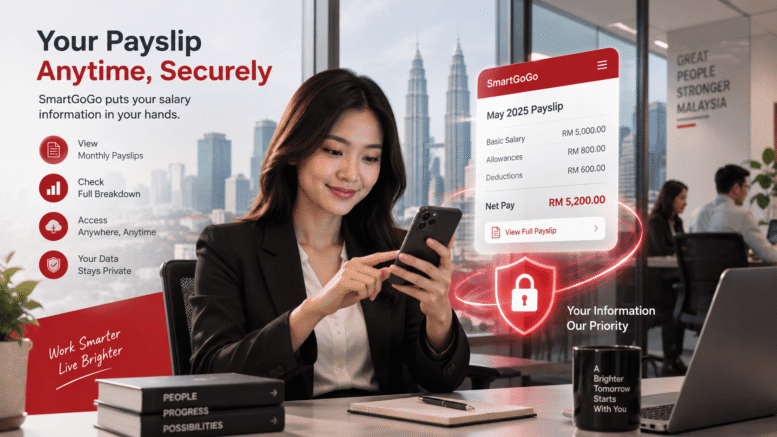
SmartGogo apps are designed to meet the specific needs of distribution and warehouse operations in Singapore. The platform provides a mobile clock in solution that integrates seamlessly with warehouse management processes.
Key features relevant to warehouse environments include:
- Multi-location clock-in capabilities, allowing employees to record their hours from different warehouse zones
- Real-time attendance dashboards that give managers immediate visibility into workforce status
- Integration with payroll systems to streamline wage calculations and compliance reporting
- Flexible configuration options to match your specific warehouse workflows and shift patterns
- User-friendly interface designed for high-volume, fast-paced warehouse environments
SmartGogo apps simplifies the installation process by providing guided setup, pre-configured templates for warehouse operations, and dedicated support to ensure your system goes live smoothly. The platform is purpose-built for Singapore businesses and complies with local employment record-keeping standards.
Best Practices for Ongoing Success
Regular System Monitoring
Once installed, monitor the system continuously. Review daily attendance records, identify patterns of issues, and address problems promptly. Regularly check that data is flowing correctly from the app into your payroll system.
Gather Feedback from Users
Collect feedback from both employees and managers about their experience with the app. Use this input to refine processes and identify areas for improvement or additional features you may need.
Maintain Data Integrity
Establish clear protocols for handling clock-in discrepancies, unapproved time adjustments, and dispute resolution. Ensure only authorised personnel can modify attendance records, and maintain an audit trail of all changes.
Schedule Regular Training Refreshers
As staff turnover occurs, provide induction training to new employees. Periodically remind existing staff about correct procedures and updates to system features.
Keep Your System Updated
Ensure the app and underlying systems remain current. Install updates and security patches promptly to maintain system stability and protect employee data.
Conclusion
Installing a mobile clock in app in your Singapore distribution warehouse is a practical step toward more efficient, accurate, and compliant workforce management. The process requires careful planning, thorough testing, and comprehensive staff training, but the benefits—improved accuracy, reduced administrative burden, and better real-time visibility—make it a worthwhile investment.
By following this installation guide and addressing potential challenges proactively, you can successfully implement a mobile clock in system that enhances your warehouse operations and supports your business goals. The right app, tailored to warehouse environments and integrated with your existing systems, becomes an invaluable tool for managing your workforce effectively.
Interested in this product? Click here to learn more: https://smartouch.com.sg/smartgogo/
Smart Touch technology pte ltd , www.smartouch.com.sg +65-63964767, sales@smartouch.com.sg , www.smartouch.com.my +607-3889903 sales@smartouch.com.my