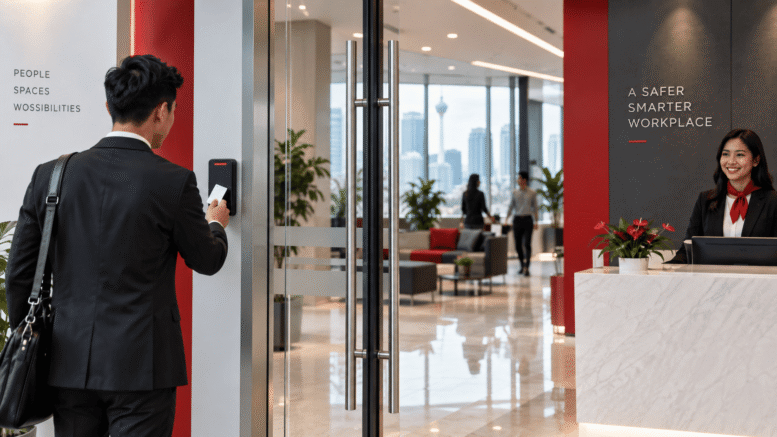
Face Recognition Access Control Singapore Installation Guide for Public-Sector Facilities
Public-sector facilities across Singapore—from government offices and municipal buildings to educational institutions and healthcare centres—handle sensitive operations that demand robust security protocols. Traditional access control methods relying on keycards, PIN codes, or manual verification are increasingly insufficient to meet modern security requirements, operational efficiency demands, and compliance expectations.
Face recognition access control technology offers a transformative solution tailored to the unique needs of Singapore’s public sector. This guide walks facility managers, security officers, and IT professionals through the installation and implementation process, highlighting key considerations specific to public-sector environments.
Understanding Face Recognition Access Control for Public-Sector Facilities
Face recognition access control systems use advanced biometric technology to identify authorised personnel and grant or deny access in real time. Unlike traditional methods, this technology requires no physical credential—employees simply approach a checkpoint and are verified within seconds.
For public-sector facilities, face recognition systems deliver several operational advantages:
- Enhanced Security: Reduces unauthorised access and eliminates the risk of lost or cloned access cards.
- Audit Compliance: Maintains detailed, tamper-proof records of all access events for regulatory and investigative purposes.
- Operational Efficiency: Eliminates bottlenecks at entry points and reduces administrative overhead associated with credential management.
- Visitor Management: Facilitates secure, documented access for contractors, consultants, and approved visitors.
- Cost Reduction: Decreases long-term costs by eliminating replacement and reissuance of physical credentials.
Key Considerations for Public-Sector Installation
Regulatory and Compliance Requirements
Singapore’s public sector must adhere to strict data protection and privacy standards. Any biometric system, including face recognition access control, must comply with Singapore’s Personal Data Protection Act (PDPA) and relevant government security frameworks.
Before installation, facility managers should confirm that their chosen system:
- Implements robust data encryption and secure storage protocols.
- Provides transparent audit trails and access logs.
- Allows for secure deletion of biometric data when personnel leave employment.
- Restricts access to biometric information to authorised personnel only.
It is advisable to consult with your organisation’s legal, data protection, and IT security teams before proceeding with implementation. Additionally, check the latest guidance from the Personal Data Protection Commission (PDPC) regarding biometric data handling in your specific sector.
Physical Infrastructure Assessment
Successful face recognition system deployment begins with a thorough assessment of your facility’s physical environment. Public-sector buildings often have multiple entry points, varying lighting conditions, and diverse architectural layouts that directly affect system performance.
During the assessment phase, consider:
- Lighting Conditions: Face recognition systems perform optimally in consistent, adequate lighting. Evaluate natural light, artificial lighting, and variations throughout the day.
- Entry Point Traffic Flow: Analyse peak usage times, typical queue lengths, and the number of simultaneous users during busy periods.
- Environmental Factors: Identify areas prone to glare, reflections, outdoor weather exposure, or temperature fluctuations that may affect camera performance.
- Architectural Layout: Map entry points, secure zones, emergency exits, and areas requiring restricted access.
- Network Infrastructure: Assess the availability and reliability of network connectivity, power supply, and backup systems.
User Population and Enrolment Strategy
Public-sector facilities typically host large, diverse user populations including permanent staff, contract employees, shift workers, and occasional visitors. Developing a clear enrolment strategy ensures smooth system adoption and minimises operational disruption.
Key elements of an effective enrolment strategy include:
- Phased Rollout: Deploy the system department by department or facility by facility rather than organisation-wide simultaneously.
- Clear Communication: Provide staff with clear information about the system’s purpose, operation, data handling, and privacy protections.
- Training and Support: Establish a support team to assist users during the initial adoption period.
- Feedback Mechanisms: Create channels for users to report issues or concerns, allowing the system to be refined during deployment.
- Visitor and Contractor Access: Develop separate protocols for temporary users who cannot be permanently enrolled.
Installation Process Overview
System Design and Planning
The installation process begins with detailed system design tailored to your facility’s specific requirements. This stage involves:
- Determining the optimal number and placement of access control checkpoints.
- Selecting camera specifications suited to your facility’s lighting and environmental conditions.
- Planning network architecture and ensuring sufficient bandwidth and power distribution.
- Designing integration points with existing security systems, building management systems, or emergency protocols.
- Establishing backup and failover systems to maintain access control during network outages.
Hardware Installation
Once the design is finalised, physical installation of cameras, processing units, and connectivity infrastructure commences. This phase typically requires:
- Installing access control cameras at designated checkpoints with optimal viewing angles and lighting.
- Mounting supporting hardware including processors, networking equipment, and power supplies.
- Running network cabling and power lines, with consideration for security, aesthetics, and operational safety.
- Configuring backup power systems to ensure access control functions during mains power loss.
- Testing all hardware components to verify correct installation and functionality.
Software Configuration and Integration
Following hardware installation, the system’s software components must be configured to align with your facility’s operational requirements and security policies. This includes:
- Setting up user databases and access permission levels.
- Configuring authentication parameters and decision thresholds.
- Integrating with existing building management, HR, or security systems where applicable.
- Establishing protocols for handling system alerts, anomalies, and security incidents.
- Creating audit logs and reporting dashboards for compliance and monitoring purposes.
User Enrolment and Testing
With the system configured, authorised personnel can be enrolled into the biometric database. Each user typically provides a facial image during a controlled enrolment session, which is then processed and stored securely by the system.
Comprehensive testing follows enrolment to verify:
- Recognition accuracy across diverse lighting and environmental conditions.
- System responsiveness and processing speed during peak usage periods.
- Correct operation of all access control decisions and emergency override procedures.
- Proper functioning of audit logs, reporting, and administrative interfaces.
- Integration with connected systems and proper data flow between components.
Best Practices for Public-Sector Implementation
Establish Clear Security Policies: Develop comprehensive policies defining who has access to what areas, under what circumstances, and with what audit requirements. Ensure these policies are documented, communicated, and regularly reviewed.
Prioritise Data Security: Implement encryption, regular backups, access restrictions, and secure disposal protocols for all biometric and access data. Designate responsibility for data security to qualified personnel.
Maintain System Hygiene: Schedule regular software updates, security patches, and system maintenance to ensure optimal performance and protection against emerging threats.
Document Everything: Maintain detailed records of system configuration, hardware specifications, software versions, personnel changes, and any modifications or incidents. This documentation supports compliance and troubleshooting.
Plan for Contingencies: Establish procedures for system failures, network outages, or emergencies that might temporarily disable the access control system. Ensure manual backup procedures exist and staff are trained in their use.
How Smart Touch Technology Can Support Your Installation
Smart Touch Technology Singapore provides comprehensive face and door access control solutions specifically designed to meet the complex requirements of public-sector facilities. The Face & Door access control system integrates advanced facial recognition technology with flexible access management capabilities, enabling Singapore organisations to enhance security, maintain compliance, and improve operational efficiency.
Whether you are planning a new installation, upgrading an existing system, or seeking to integrate biometric access control with your current security infrastructure, Smart Touch Technology brings expertise in public-sector deployments, understanding of Singapore’s regulatory environment, and commitment to supporting your installation from planning through ongoing operation.
Conclusion
Face recognition access control represents a significant advancement in security and operational management for Singapore’s public-sector facilities. Implementing such a system requires careful planning, thorough assessment of facility requirements, strict adherence to regulatory standards, and comprehensive user communication and training.
By following a structured installation process, addressing compliance requirements proactively, and adopting best practices for security and data management, public-sector organisations can successfully deploy face recognition access control systems that enhance security, improve efficiency, and meet Singapore’s high standards for data protection and governance.
Want to know more about this product? Click here to explore how Smart Touch Technology’s Face & Door access control system can be tailored to your facility’s needs.
Smart Touch technology pte ltd , www.smartouch.com.sg +65-63964767, sales@smartouch.com.sg , www.smartouch.com.my +607-3889903 sales@smartouch.com.my