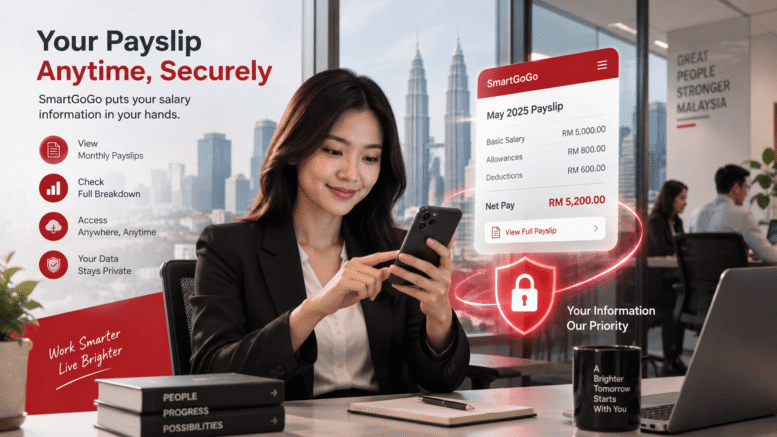
SmartGoGo App Singapore Setup and Integration Guide
Introduction
In today’s fast-paced business environment, Singapore organisations face increasing pressure to streamline operations, enhance customer engagement, and improve operational efficiency. Whether you’re managing a retail business, a service-based company, or a corporate environment, having the right tools in place can make a significant difference in how smoothly your daily operations run.
The SmartGoGo app is designed to help Singapore businesses simplify complex workflows, centralise key information, and enable better communication across teams and with customers. Understanding how to properly set up and integrate SmartGoGo into your existing systems is essential to maximising its value and ensuring your organisation can quickly start benefiting from its capabilities.
This guide walks you through the setup process and explains how SmartGoGo can be integrated into your business operations, helping you get the most out of your investment from day one.
What Is SmartGoGo?
SmartGoGo is a versatile application solution designed to support Singapore businesses in managing operations more effectively. The app provides a flexible platform that can be customised to meet the specific needs of different industries and business sizes, from small enterprises to larger organisations.
By centralising key business processes within a single application, SmartGoGo helps reduce manual data entry, minimise errors, and improve the speed at which teams can access and act on critical information.
Why Setup and Integration Matter
Proper setup and integration of any new business application is crucial to its success. A poorly configured system can lead to:
- Wasted time as employees struggle to navigate unfamiliar interfaces
- Data inconsistencies across different departments
- Missed opportunities to automate routine tasks
- Integration issues with existing software your business already relies on
- Lower user adoption rates among your team members
Taking the time to set up SmartGoGo correctly ensures that your organisation can realise its benefits quickly and that your team members adopt the system confidently.
SmartGoGo App Setup Process
Step 1: Planning Your Implementation
Before diving into the technical setup, take time to plan your SmartGoGo implementation. Consider the following:
- Identify your key business processes: Which workflows would benefit most from digitalisation or streamlining?
- Determine your user base: How many employees, managers, and customers will use SmartGoGo?
- Define your goals: What specific outcomes do you want to achieve? Faster processing, better reporting, improved customer service?
- Assess your existing systems: What other software does your organisation currently use? Will SmartGoGo need to connect with these tools?
- Plan your timeline: How quickly do you need the system operational? Will you roll out to all users at once or in phases?
This planning phase is particularly important for Singapore organisations operating across multiple locations or departments, as coordinating a smooth implementation across different teams requires careful thought.
Step 2: Account Creation and Initial Configuration
Once you’ve completed your planning, the next step is creating your SmartGoGo account and configuring basic settings. This typically involves:
- Registering your organisation with SmartGoGo
- Setting up administrator accounts for key team members
- Configuring basic system parameters such as timezone (Singapore Standard Time), language preferences, and currency settings
- Establishing initial user roles and permissions
During this phase, ensure that you assign appropriate access levels to different users based on their roles. This helps maintain security and ensures employees only have access to information relevant to their responsibilities.
Step 3: Customising Your Setup
SmartGoGo’s flexibility means you can customise the application to align with your organisation’s unique needs. Consider customising:
- Workflow templates to match your business processes
- Data fields to capture information specific to your industry
- User interface layouts to match how your teams work
- Notification settings to keep team members informed appropriately
- Reporting and analytics dashboards for management oversight
Avoid the common mistake of over-customising the system before your team has a chance to use it. Start with a straightforward configuration and refine it based on user feedback once the system is live.
Step 4: Data Migration and Population
If you’re moving from paper-based processes or another software system, you’ll need to migrate existing data into SmartGoGo. This step is critical and requires careful attention:
- Audit your existing data to identify what needs to be transferred
- Clean up data quality issues before migration
- Plan your data mapping to ensure information goes into the correct fields
- Test the migration process with a sample of data first
- Verify that all data transferred correctly after the full migration
Taking time with data migration prevents problems down the line and ensures your team has accurate information from day one.
Integrating SmartGoGo With Your Existing Systems
Understanding Your Integration Needs
Modern Singapore businesses typically use multiple software applications. Your organisation might rely on accounting software, customer relationship management (CRM) tools, email systems, scheduling applications, or other specialised business software.
SmartGoGo’s integration capabilities allow you to connect these systems, creating a unified technology environment where information flows seamlessly between applications.
Common Integration Scenarios
Depending on your business type, you may want to integrate SmartGoGo with:
- Email systems: Automatically sending notifications and alerts directly to user inboxes
- Accounting software: Syncing transactional data for better financial management
- Customer databases: Ensuring customer information is consistent across all platforms
- Scheduling tools: Coordinating task assignments and timeline management
- Reporting platforms: Combining data from multiple sources for comprehensive business intelligence
Integration Best Practices
When integrating SmartGoGo with other systems, keep these best practices in mind:
- Start with priority integrations: Focus on connecting the systems that will deliver the most immediate value
- Test thoroughly: Always test integrations in a non-production environment before rolling out to your team
- Document your integrations: Keep clear records of what is connected, how data flows, and who is responsible for maintenance
- Monitor integration performance: Regularly check that data is syncing correctly and that no errors are occurring
- Plan for scalability: Consider future growth when setting up integrations
Training and User Adoption
Even the most perfectly configured system will fail if your team doesn’t know how to use it effectively. User adoption is critical to success.
Consider these strategies for supporting adoption in your Singapore organisation:
- Provide comprehensive training: Ensure all users receive training appropriate to their role
- Create documentation: Develop user guides and reference materials for common tasks
- Identify power users: Train enthusiastic team members who can help support colleagues
- Gather feedback: Regularly ask users for input on what’s working and what could be improved
- Provide ongoing support: Make it easy for users to ask questions and get help
How Smart Touch Technology Can Help
Smart Touch Technology Singapore specialises in helping organisations implement and optimise business applications like SmartGoGo. Rather than navigating the setup and integration process alone, partnering with an experienced provider can significantly smooth your implementation journey.
Smart Touch Technology’s team understands the Singapore business landscape and can provide guidance on:
- Planning your SmartGoGo implementation to align with your specific business needs
- Configuring SmartGoGo to work optimally with your existing systems
- Integrating SmartGoGo with your current software ecosystem
- Training your team to use the system effectively
- Supporting you through the transition and beyond
Having expert support reduces the risk of implementation delays, minimises potential issues, and helps you start realising benefits from SmartGoGo more quickly.
Interested in this product? Click here to learn more about how SmartGoGo can transform your business operations.
Conclusion
Setting up and integrating SmartGoGo properly is essential to achieving your business objectives and ensuring your team can work efficiently within the system. By following a structured implementation approach—planning carefully, configuring thoughtfully, integrating with your existing systems, and supporting user adoption—your Singapore organisation can smoothly transition to using SmartGoGo and realise significant operational benefits.
The investment in proper setup and integration pays dividends through improved efficiency, better data accuracy, reduced manual work, and enhanced collaboration across your organisation. Whether you’re managing a small team or a large enterprise, SmartGoGo offers the flexibility to support your business processes and scale as your needs evolve.
Smart Touch technology pte ltd , www.smartouch.com.sg +65-63964767, sales@smartouch.com.sg , www.smartouch.com.my +607-3889903 sales@smartouch.com.my